The Brief
At Bank of America, I led the UX strategy and design for a shared operations application aimed at improving the exception management process for check and cash deposit processing across the bank. The goal was to create a more efficient workflow, reduce resolution time, minimize customer impact, and enhance the user experience for our workforce handling these exceptions.
Objectives
- Improve Resolution Time: Streamline the process for handling check and cash deposit exceptions to significantly reduce the time it takes to resolve issues.
- Minimize Customer Impact: Ensure that exceptions are handled quickly and efficiently, reducing delays and negative effects on customers.
- Enhance Workforce Experience: Design an intuitive, user-friendly interface to improve the daily operations of employees handling exceptions.
Challenges
- Complexity of the Workflow: The exception management process involved multiple steps and required input from different departments. The existing system was inefficient and often led to delays in resolving issues.
- Disparate Systems: Teams handling exceptions used various legacy systems, which caused inconsistencies in data flow and user experience.
- User Frustration: Employees reported frustration with the existing interface, citing a lack of clear navigation and difficulty in tracking the status of exceptions.
Approach
-
User Research & Insights Gathering:
- Stakeholder Interviews: I conducted interviews with operations managers, frontline employees, and IT stakeholders to understand pain points, business goals, and user needs.
- Contextual Inquiry: Observing employees handling exceptions in real time helped identify specific bottlenecks in the process and areas of improvement.
- Data Analysis: I reviewed data on exception resolution times, customer complaints, and system usage metrics to identify key areas for optimization.
-
Defining the Problem:
- The system needed a unified platform to handle all check and cash deposit exceptions.
- Users required better visibility into the status of exceptions and clear guidance on next steps.
- Resolution times were too long, causing customer frustration and operational inefficiency.
-
Design & Prototyping:
- User Flows and Wireframes: I whiteboarded detailed user flows and created low-fidelity wireframes in Balsamiq to map out the ideal user journey. This included simplifying multi-step processes and introducing clear navigation paths.
- Interactive Prototypes: Using HTML, CSS and Javascript, I built interactive prototypes to visualize how users would interact with the new system and to gather feedback from employees during usability testing.
-
User Testing & Iteration:
- I conducted multiple rounds of usability testing with employees who would be using the platform daily. Their feedback highlighted issues such as button placement, terminology, and visibility of key information, which I iterated on to improve the design.
-
Collaboration with Cross-Functional Teams:
- I worked closely with developers, product managers, and operations leads to ensure that the design was feasible and aligned with business objectives.
- I facilitated design workshops to gather input and keep stakeholders engaged throughout the process.
Key Features Implemented
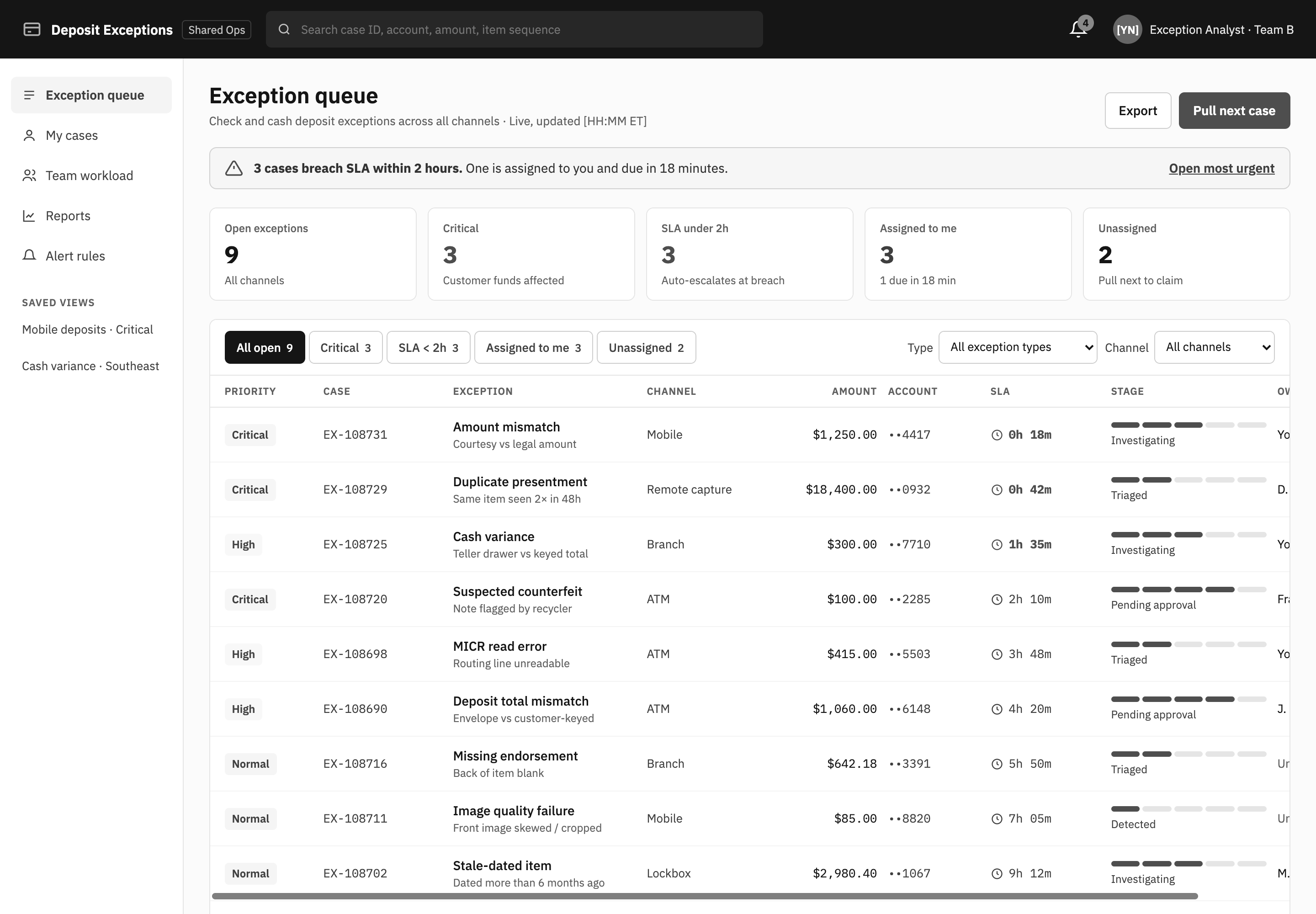
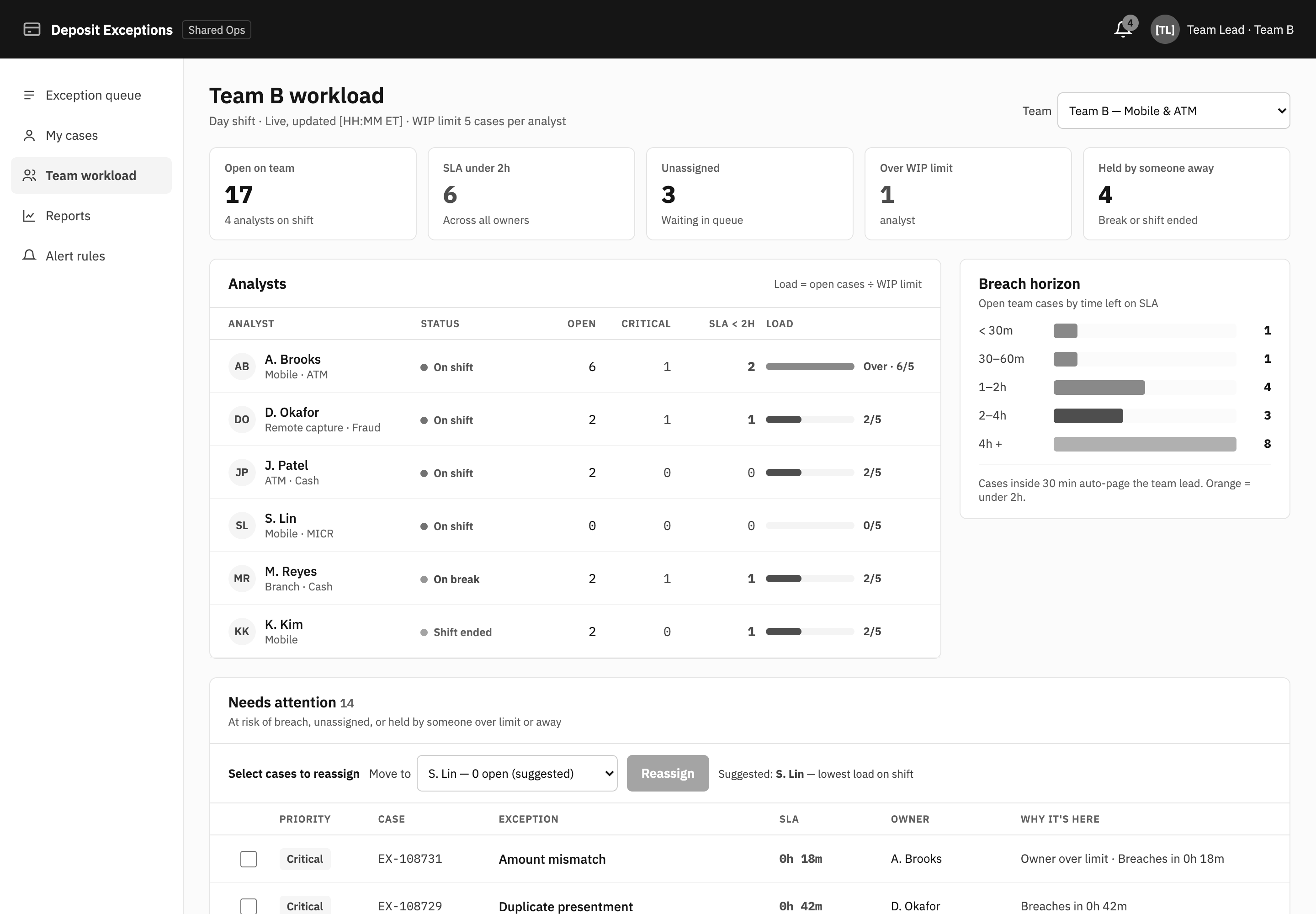
Four features carried the work: one queue for every exception, a guided path to resolve each one, alerts that find the right person, and status that's visible from the case up to the team.
Centralized Dashboard
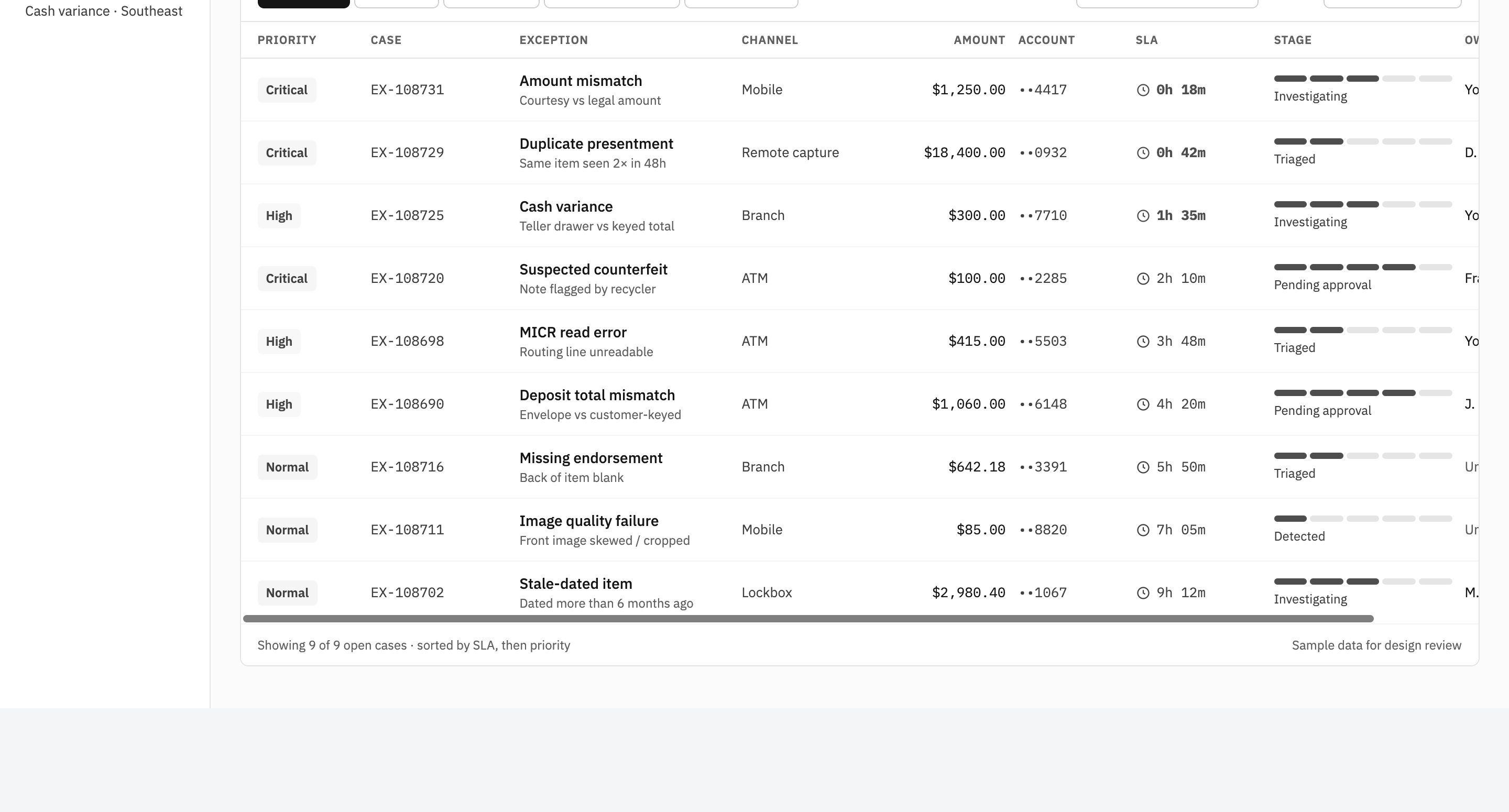
A unified dashboard allowed employees to view all pending exceptions in real time, with filters to quickly find and prioritize cases. This provided better visibility and reduced time spent searching for information.
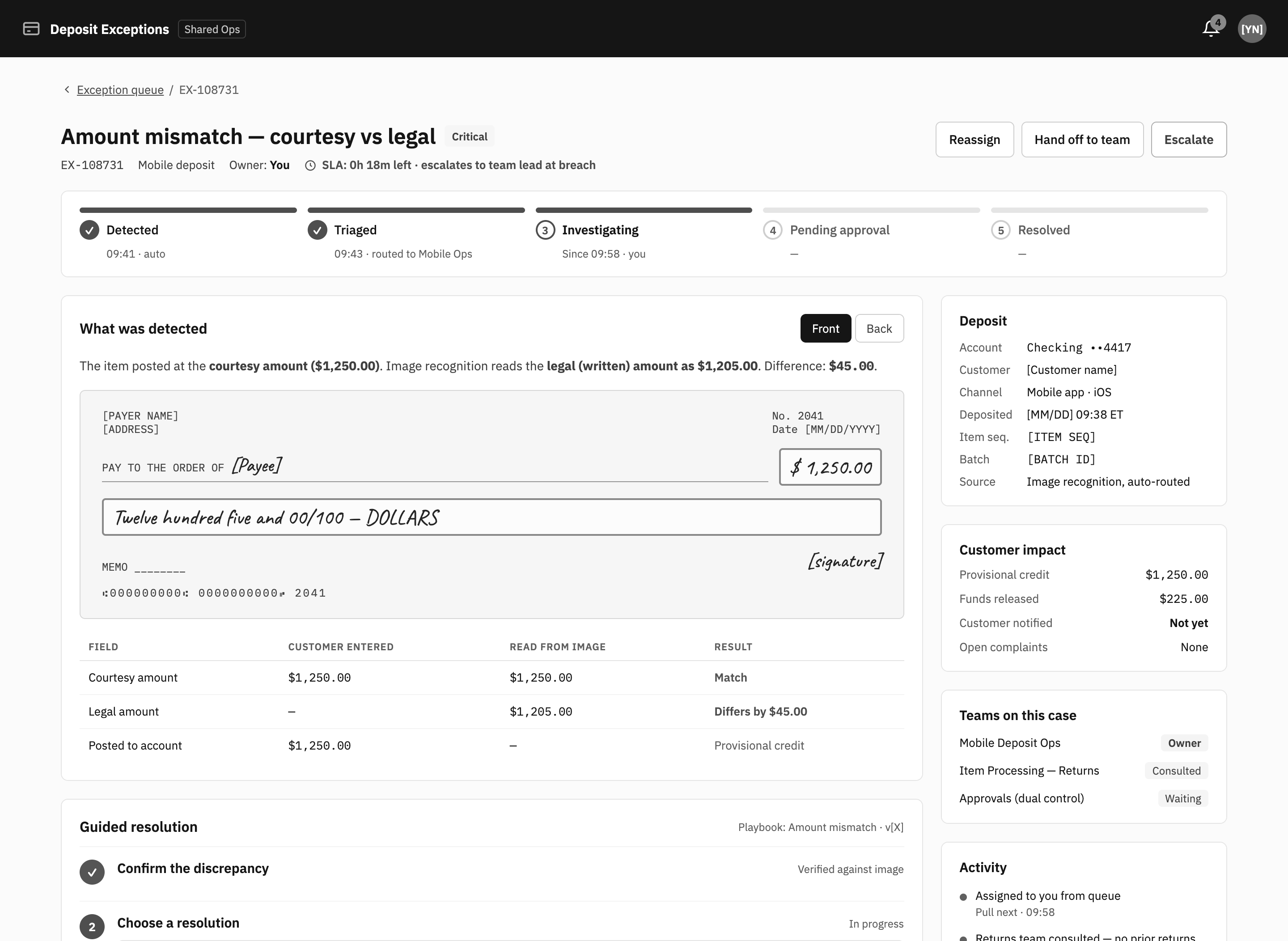
Streamlined Exception Resolution Flow
The application guided users through the necessary steps to resolve exceptions, reducing complexity and ensuring consistent processes across teams.
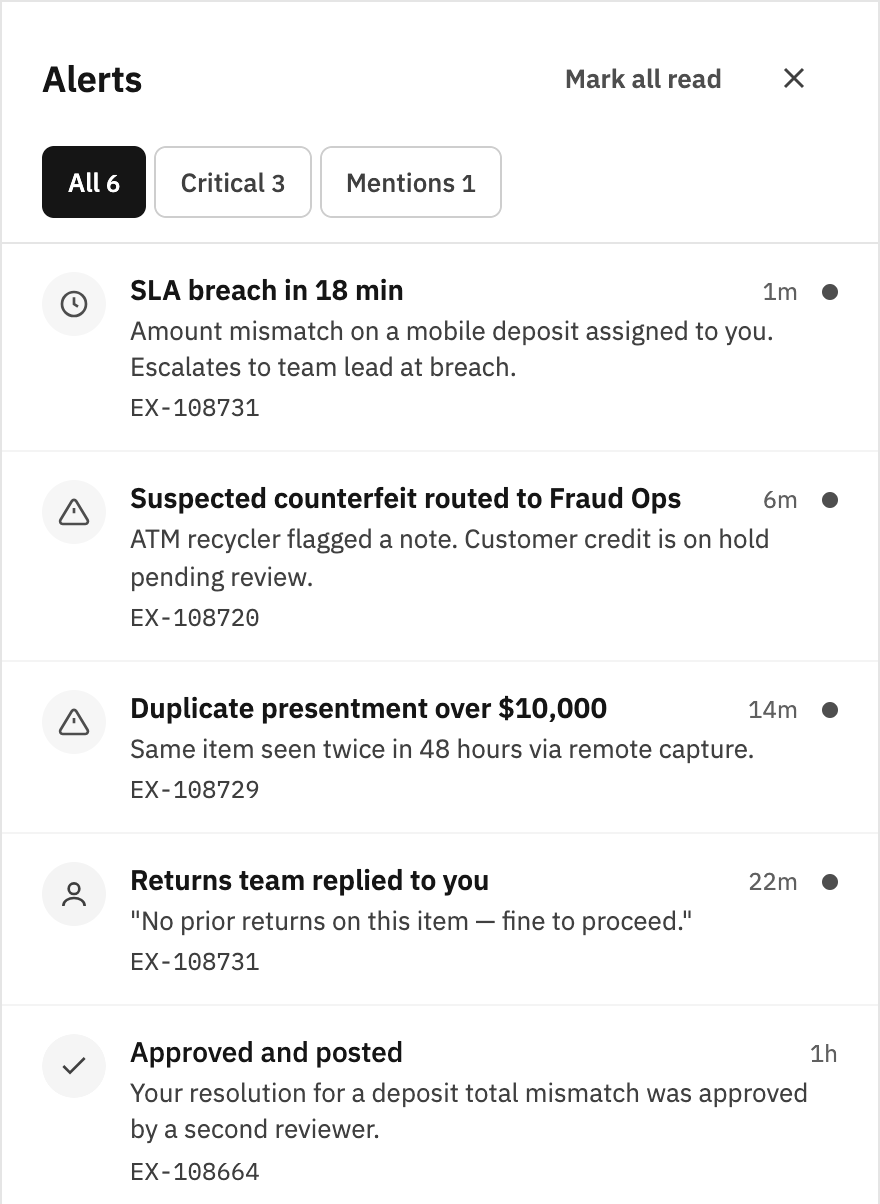
Automated Alerts & Notifications
The system included automated notifications for critical exceptions, helping employees stay on top of urgent issues without manually monitoring each case.
Progress Tracking & Status Updates
A progress tracker for each case was added to provide employees with real-time updates on the status of each exception, ensuring that no case was overlooked.
Results
- Reduction in Resolution Time: The new system reduced the average time to resolve exceptions, significantly improving operational efficiency.
- Enhanced Customer Experience: Faster exception handling meant that customers experienced fewer delays and interruptions, resulting in a noticeable decrease in customer complaints.
- Improved Workforce Efficiency: Employees found the new platform easier to use, with an increase in reported productivity. The simplified workflow reduced frustration and provided clear steps for resolving issues.
- Cross-Team Collaboration: The application created better alignment between departments by streamlining communication and data sharing, improving the overall consistency of exception management.
Conclusion
This project was a successful blend of user-centered design and business strategy. By focusing on improving the user experience of the workforce handling check and cash deposit exceptions, we were able to streamline operations, reduce resolution times, and ultimately deliver a better experience. The shared operations application is now a key tool in ensuring smoother processing across the bank’s operations.